
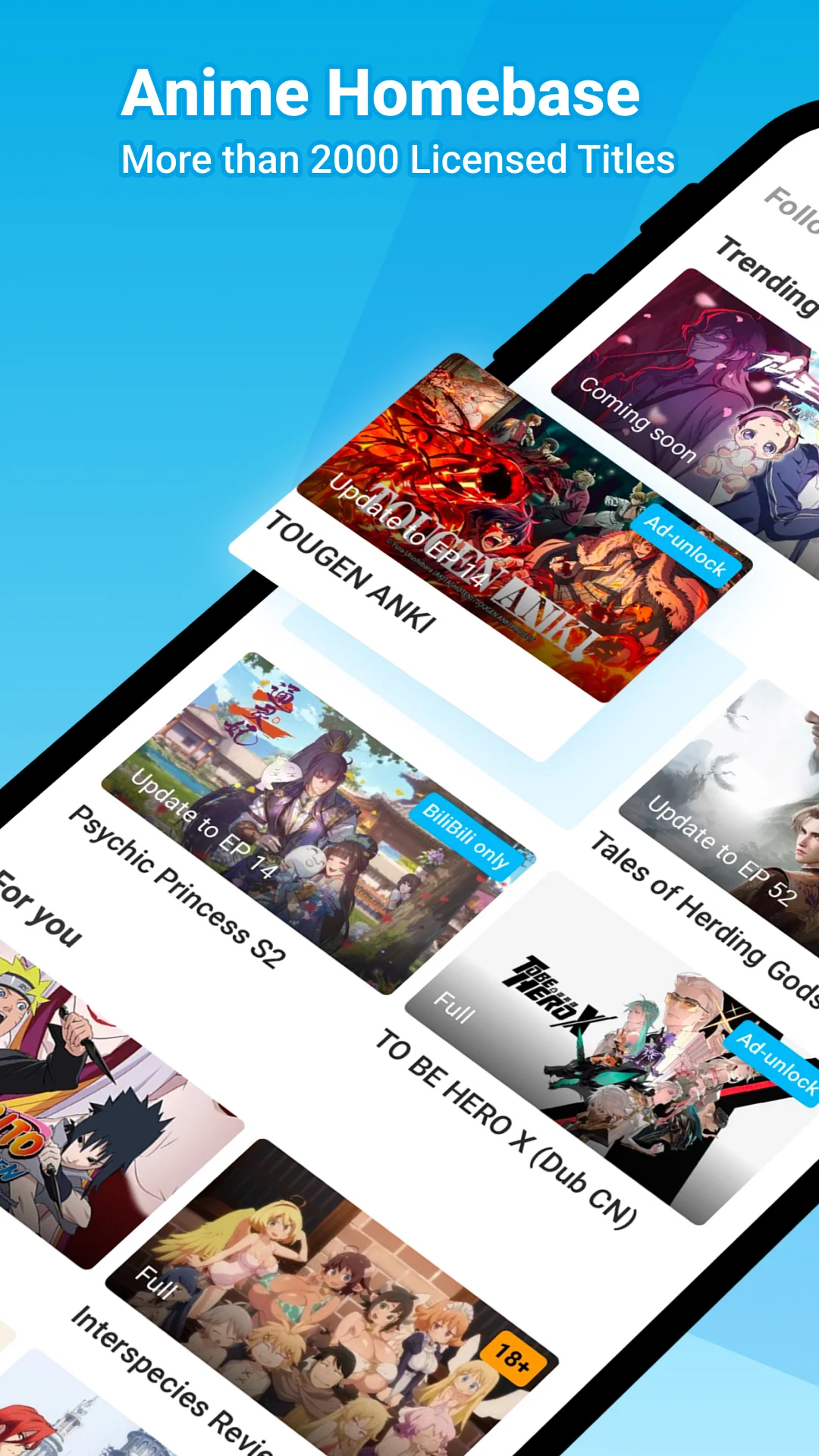
What is the BiliBili app?
BiliBili offers an international video platform for licensed shows, short dramas and community contributions. Its app brings video streaming to your phone, while the website provides another way to check what is available.
This guide covers the international edition, identified by com.bstar.intl. Choose the version of BiliBili linked from the publisher’s official page (Opens in a new tab). Services associated with the Chinese edition can differ, so do not assume their accounts, catalogue or tools are interchangeable.
BiliBili App Features
Licensed shows for anime fans
Browse licensed anime series and check the season and episode list before you start. Search results may also contain trailers, recaps or fan-made clips.
Short-form dramas
The publisher lists short dramas alongside longer shows. They offer another choice when you want a complete scene or a shorter session between other activities.
Community videos
Discover an individual creator as well as a series. Check who posted a video and what its description says before treating it as a complete official episode.
Audio and language options
Multilingual support is listed, but the subtitle and audio choices need checking on each episode. Interface language does not establish which translations a show includes.
HD video quality
Inspect the quality settings offered for your title and account. If your connection struggles, a lower resolution can be more comfortable than a sharper image that keeps stopping.
Offline episode access
Premium lists saved episodes among its benefits. Where the control is available, complete the transfer over Wi-Fi and test it without a connection before travelling.
Documented in the official store listing (Opens in a new tab) and membership benefits (Opens in a new tab). Availability can depend on your title, territory and plan.
How to check show availability
The publisher’s catalogue description names Attack on Titan, Bleach, Jujutsu Kaisen and Chainsaw Man among its examples. These references do not confirm that every season is currently accessible in your country. Open the actual series page before planning a binge or purchasing a membership.
Community videos and fan content
A multimedia community works best when you search with a purpose. The ideas below help you evaluate results; they are not a promise that every category or tool is available in the international app.
Creative lessons and fan projects
A cosplay tutorial can be more useful when it explains materials and shows intermediate steps. If you want to animate a character, look for a lesson that names the software and demonstrates the process, rather than only showing the finished result. For a fan edit, inspect the description for the original source and context.
Game guides and event highlights
For gaming advice, compare gameplay walkthroughs with speedruns: the first can explain a route, while the second may depend on advanced techniques. With esports footage, check the event name and date. An old highlight does not establish that a current competition is being carried.
Explore music and fan culture
When looking for music videos, start with the performer and song title so covers and official releases are easier to distinguish. Discussions of manga adaptations and ACG, meaning animation, comics and games, often overlap. For comedy and memeing, checking the original clip can help explain a joke that otherwise makes little sense.
Context: the Chinese service’s creative ecosystem (Opens in a new tab) describes a broader set of interests and services. A public international community profile (Opens in a new tab) also illustrates costume-making content. Neither source establishes universal feature availability.
How on-screen comments work
Danmu comments, often called bullet comments, are messages attached to moments in a recording. This comment system can create a real-time feeling even when viewers watched at different times. It is different from live streams carrying a current broadcast. Research on the Chinese service explains this distinction; check which controls your edition actually provides.
Reference: research on timed on-screen discussion (Opens in a new tab).
Check content rights before you upload
Use material you created or have permission to share. Check the current publishing controls and community rules on your account before an upload. A clip being easy to save does not give you permission to repost someone else’s work.
Video quality and viewing settings
Choose one short episode to test the app before committing to a long series. Confirm that the dialogue is understandable, check the available quality and try full screen. To stream over a mobile connection, start conservatively and watch your data usage.
Finding your fav videos again
Use a save or favourite control if your edition provides one, or bookmark the series page in your browser. Keep track of the season and episode number as well as the title, particularly when several uploads have similar names.
How to watch saved episodes offline
For an eligible saved episode, check free storage, completion status and any expiry message. Test the result before leaving Wi-Fi. Saving a show for offline access is separate from installing the software, and it does not promise permanent access to a transferable file.
Supported devices and installation options
BiliBili for Android
Use Google Play where available, or the standalone package source linked by the publisher. Check compatibility on the destination listing rather than assuming every build works on every phone.
iPhone and iPad
Use the separate Apple App Store listing (Opens in a new tab). A package built for a different operating system cannot be installed as a native iOS application.
PC browsers and TV compatibility
On a computer, start with the official website (Opens in a new tab). For a television, check its own store and current support information. We have not verified universal casting or TV compatibility.
APK download options
Our download page directs you to Google Play or the publisher’s linked sources. We do not host an installation file, and the button will not start an unverified transfer.
Choose a download source (Opens in a new tab)App specs
- Edition
- International
- Developer
- BALABOOM PTE. LTD.
- Package identifier
com.bstar.intl- Operating system
- Android
- Build, size and requirements
- Check the store on your device
Identity source: publisher’s store entry (Opens in a new tab). We have not independently tested a binary.
How to install and update on Android
Install from the official source
Compare the publisher and package identifier with the details above, then use the store’s Install or Update control. You usually do not need a separate file when that route works.
Review installation permissions
For a standalone download, Android may request permission for your browser or file manager to install new apps. Keep Play Protect enabled, read any warning and do not bypass a blocked installation.
Set up your account and permissions
Open the app, review the settings you need and use an account you can recover. If you allowed browser-based installation, turn that permission off again afterwards.
Update without losing account access
Continue with the same trusted source. Before removing an existing installation to resolve a conflict, consider your sign-in details and locally saved episodes.
System reference: Google’s installation guidance (Opens in a new tab).
Is BiliBili safe?
No review can certify every file distributed under a familiar name. A claim such as “free and safe” needs evidence about the specific download, not just a recognisable logo. A “validated developer” badge on an unrelated directory is not proof of authenticity.
Read scan info in context
Look for the scanner, date and exact file tested. File integrity checks compare a package against an expected hash; they do not, by themselves, rule out malware or spyware. A clean result is useful information, not a permanent security guarantee. We have not scanned an installation package or published a checksum.
Keep the device’s protection enabled and stop if it reports a threat. Play Protect guidance (Opens in a new tab) explains its checks and warnings.
Protect your personal data
Read the privacy policy (Opens in a new tab) and assess permissions against what you are trying to do. Do not post passwords, receipts or account identifiers in public comments. User reviews can flag recurring problems, but they are not a substitute for checking the source and your own settings.
Fix installation and buffering problems
| What happens | What to check |
|---|---|
| Installation fails | Confirm compatibility, free storage and the file’s origin. Prefer the store route when available. |
| Playback buffers | Test another episode and network, then lower the quality. This helps separate a connection problem from an issue with one video. |
| A title is unavailable | Read its regional or membership message. A different installer does not establish access to the programme. |
| Payment is not recognised | Check the signed-in account and receipt. Contact the support channel shown by the publisher before making a second purchase. |
Installation, access and subscription FAQs
Where can I check the latest version?
Open the official listing on your own device. We do not invent a current build number, file size or minimum system requirement.
Does this edition have an AI dubbing feature?
We have not verified that feature for the international package covered here. A demonstration from another edition or a third-party tool does not establish that it is available to your account.
Can I watch without paying?
Some episodes are offered free; others require membership or a separate purchase. Check the message on the exact title you want.
Can I use the app in Pakistan or India?
Current country availability has not been independently confirmed here. Check the local store and the actual service before subscribing.
Does membership include every programme?
No universal catalogue promise is made here. Review the title’s access conditions and the terms shown for your plan.
Will saved episodes work on a trip?
Test a completed save with the connection off before leaving. Review any expiry and account-access messages shown on your device.
Is there one universal language setting?
Menus, captions and spoken dialogue are separate choices. Check the actual episode; we have not confirmed catalogue-wide Urdu or Hindi support.
Can I use the same package on every device?
No. Use the store intended for your operating system and verify compatibility. Phone, tablet and television support should not be assumed interchangeable.
Do you offer a modified build?
No. This site provides source links and practical guidance, not modified installers or unlocked subscriptions.
Is this a hands-on review?
No. This guide is based on the linked primary sources and general setup advice. We distinguish documented features from unverified capabilities.
Official sources and editorial method
Sources checked on 19 September 2026. The international catalogue and membership offer can change. Community terminology from research on the Chinese service is explained as context, not presented as a verified feature of every edition.
Editorial and website privacy notes
We do not invent testing experience, certifications or ratings. The page has no analytics, advertising scripts or account form. Fonts and hosting may involve third-party requests. Linked services have their own policies. Screenshots belong to their respective rights holders.